Back

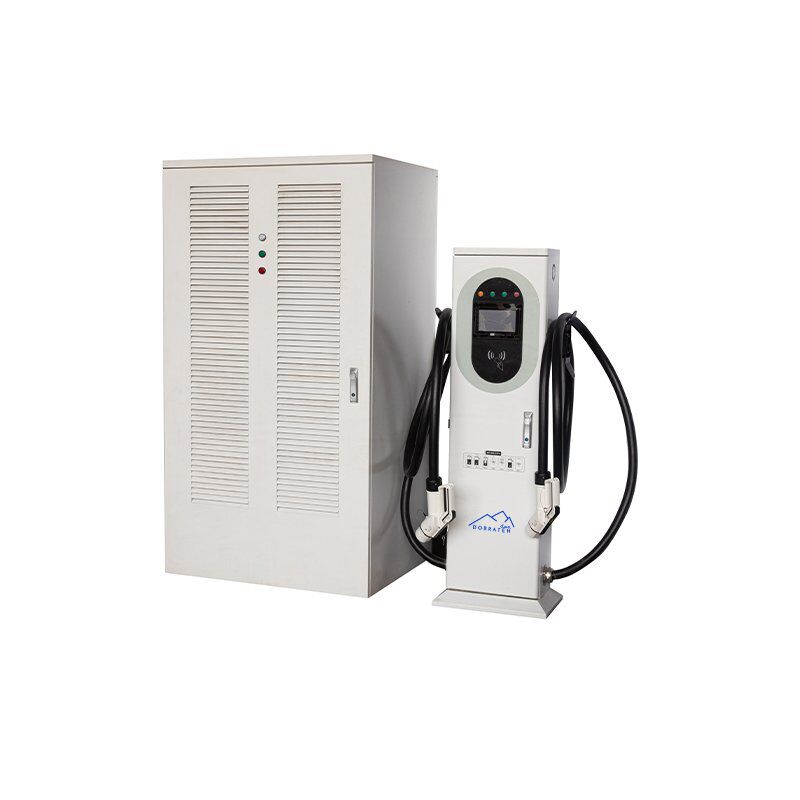
DOBRATEH 240kW-1440kW Charging Team

No items found.

DOBRATEH 240kW-1440kW Charging Team

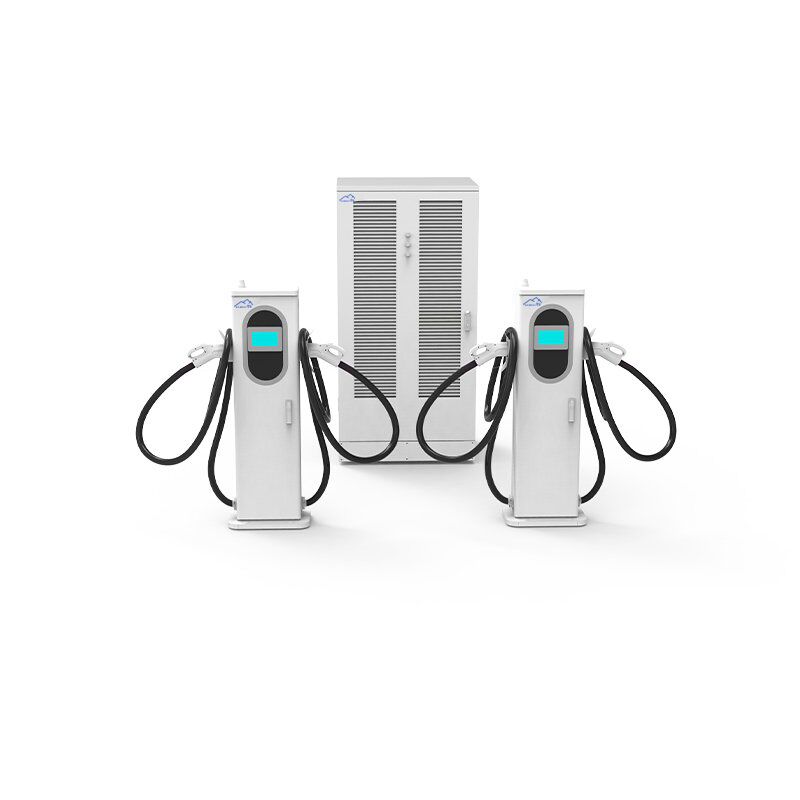
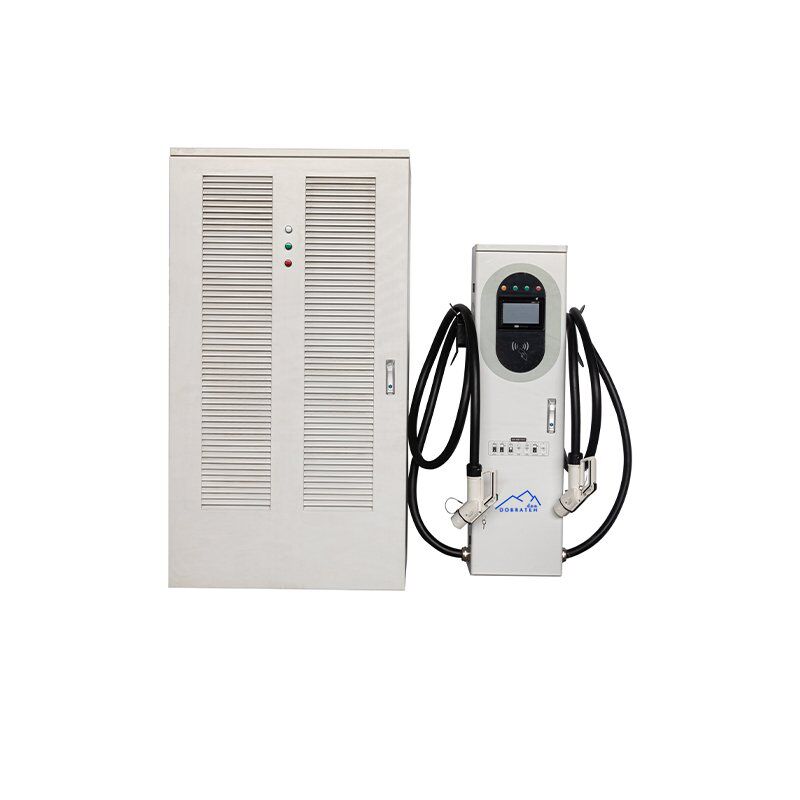
The modular super charger for high-load commercial charging scenarios uses the original “power pool” technology to achieve a single stack of 240kW-960kW flexible output and support up to 16 guns charging at the same time. It has the functions of dynamically allocating the output power of each charging terminal, adjusting the charging current in real time, and setting different charging strategies in different time periods. It can meet the charging needs of different vehicles and achieve a high-performance, more flexible and more reliable charging experience with low-cost investment. The product can be used in shopping malls, basements, residential communities, schools, park units, express stations, logistics stations, ports, 45 stores and other scenarios.

Model Main Cabinet Split Terminal
Commercial Use
Specification Rated Power 480 kW 600 / 720 / 960 kW 600 kW
Device Info Installation Method Floor-stand, Vertical
Feeding Method Bottom in and out
Equipment Dimension (mm) 1000 × 800 × 2000 1300 × 1000 × 2200 1630 × 500 × 370
Input Voltage AC380V ±15%
Input Frequency 50 ±10 Hz
Output Voltage 200–1000 VDC
Output Current 800 / 1200 / 1600 / 2000 / 2400 / 3200 A 600 A
Cable Length 5 m (optional)
Metering Accuracy Level 1.0
Electrical Indicators Efficiency ≥94.5%
Power Factor ≥0.99 (above 50% load)
Functional Design HMI 7-inch high-brightness color touch screen, LED indicator
Charging Mode Automatic full charge / Fixed energy / Fixed amount / Fixed time
Charging Method NFC (Swipe to charge), scan QR code, Password
Mode of Payment RFID, QR code, Credit card, Password, APP
Network Ethernet, 4G, LTE, Wi-Fi 802.11 b/g/n (Optional, 2.4/5 GHz)
Safety Design Operative Norm EN IEC 62196-1:2022; EN IEC 62196-3:2014; EN IEC 61851-1:2019; EN IEC 61851-23:2014; EN IEC 61851-21-2:2021; EN IEC 61000-6-1:2019; EN IEC 61000-6-3:2021; TÜV (DIN SPEC 70121/12.14, DIN SPEC 70122/11.18)
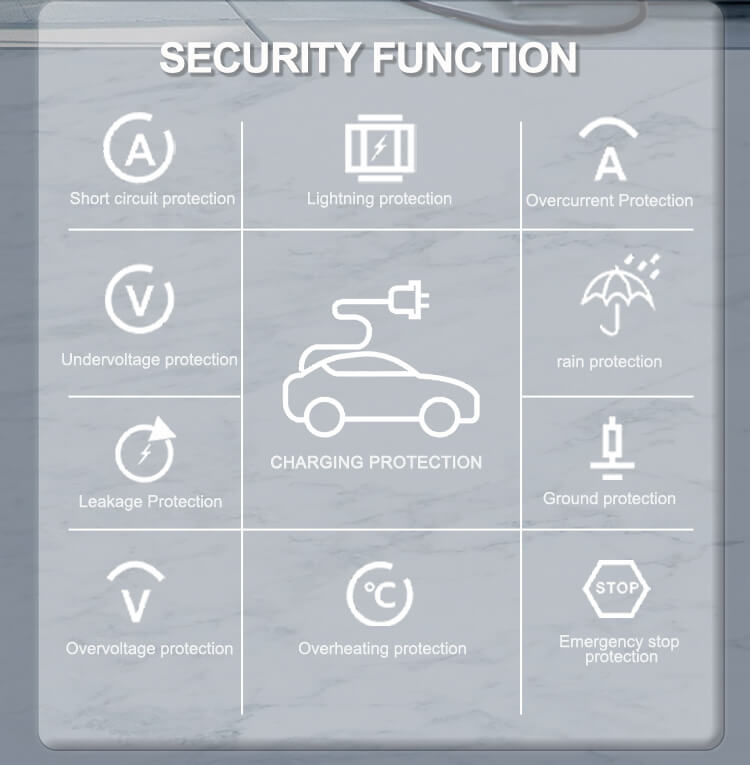
Safety Function Charging gun temperature detection, over-voltage protection, under-voltage protection, overload protection, short circuit protection, grounding protection, over-temperature protection, low-temperature protection, insulation monitoring protection, polarity reverse protection, lightning protection, emergency stop protection, leakage protection.
Environmental Indicators Working Temperature -35 ~ +55°C
Working Humidity 5%–95% non-condensing frost
Working Altitude ≤2000 m
Ingress Protection IP54
Cooling Method Forced air cooling Liquid cooling
MTBF 30,000 hours

Check the packing box for the following items before installation (subject to the packing list)

  • Floor stand type DC charging Station(1 set )
  • Test card 2 pieces (with a card reader or not)
  • Installation instructions (1 set)  
  • 1 piece of certificate of quality
  • Key (2 pieces)

Installation Environment Requirements

1、This series EV DC charging station is the outdoor type, Ingress Protection: IP54;

2、Ambient temperature : -20℃ to +50℃;

Installation Method

This series of DC charging stations can be installed vertically according to the requirements

Installation size, as the Figure 1 and Figure 2:
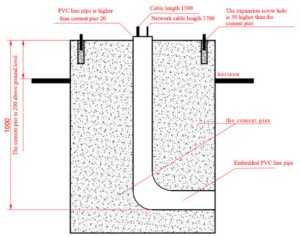
Figure 1 Floor Stand Type Installation Method
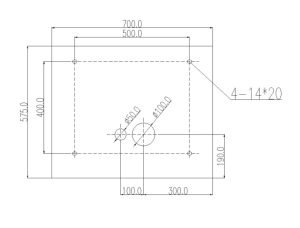
Figure 2 Floor Stand Type Installation Method

Common Malfunctions

Method Of Exclusion

Air switch burnt out

Replace the air switch.

The information acquisition board is burned out

Contact the manufacturer: replace the information acquisition board.

Module damage

Contact the manufacturer:replace the module.

Report system failure

It may be caused by various reasons such as the module and the collection board. It is recommended to contact the manufacturer.

The platform can’t connect to the Internet

Check the network cable interface, whether the network cable is plugged in properly. The network communication board is faulty and replaced.

DC Undervoltage

Check whether the fuse is burned and whether the relay is closed

AC Undervoltage

Check the wiring and switch of the power distribution cabinet for any abnormality.

The power meter on the charging Station shows zero

Unplug and plug the wires on the circuit board again, the monitoring board is faulty and replace it.

Locking card phenomenon

When the charging is complete, remember to swipe the card to pay, if the card lock phenomenon occurs, please go to the last charging machine to swipe the card and pay the fee to unlock it.

Jumping the gun phenomenon

Confirm that the IC card balance is sufficient when swiping the card, otherwise, it will automatically stop charging during the charging process.

Symptoms of common faults of the indicator lights on the module panel

There are three indicator lights on the module panel, which are the power indicator (green light), the protection indicator (yellow), and the fault indicator (red), and the fault indicator is as follows:
Indicator Light Normal Status Abnormal State Abnormal Problem
Power Indicator
(Green)
On Off No input voltage; module’s internal auxiliary power supply does not operate
Protection Indicator (Yellow) Off On AC input overvoltage, undervoltage, or overtemperature
Off On Communication interruption or manual mode
Fault Indicator (Red) Off On Output overvoltage, module address duplication, or severe current imbalance
Off Flashing Faulty fan
Note: When the module is in manual mode, the yellow light flashes.

Back

Contact for Services

By submitting this form, you agree to our Privacy Policy
Thank you!
We will respond to you as soon as possible
An error occurred. Please try again later or contact us via email or phone.